How to Access the Special Characters on your Laptop Keyboard
Ever wonder how to get those special blue characters on your laptop keyboard? My HP Pavilion laptop did not come with any instructions from Hewlett-Packard specifically to do with the keyboard, so I had to experiment with the keys and have come up with a more comprehensive guide to these special blue keys.
To get these blue characters, press ctrl + Shift as illustrated below: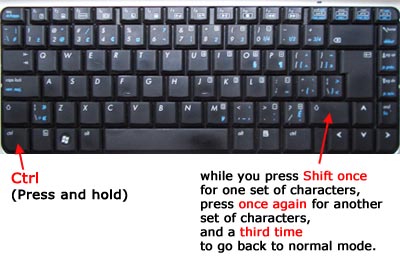
_____________________________
After clicking ctrl + shift (once), you get the special characters illustrated below:
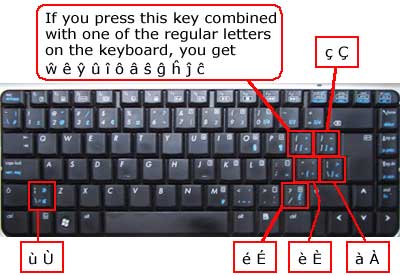
_____________________________
After clicking ctrl + shift once more (or twice if you're starting from scratch), you access the characters you see below. For the top row of characters in the illustration below, you press ctrl + alt + any one of the keys.

To get back to the normal keys on your laptop keyboard, just click ctrl + shift one more time and you're done. Basically your laptop keyboard has three different modes.
* If you want to get ascii characters on your laptop keyboard the easy way, just click here.